PROBLEM:
- Want to access WAMP server from all computer which was connected through LAN
REASON:
- Wamp cannot be accessible through LAN because your Windows Firewall Doesn’t allow you to connect through LAN without permission.
SOLUTION:
FIND YOUR IP ADDRESS:
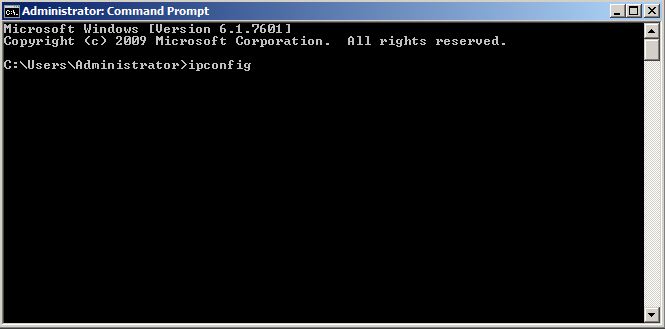
- Open Command Prompt from Start menu

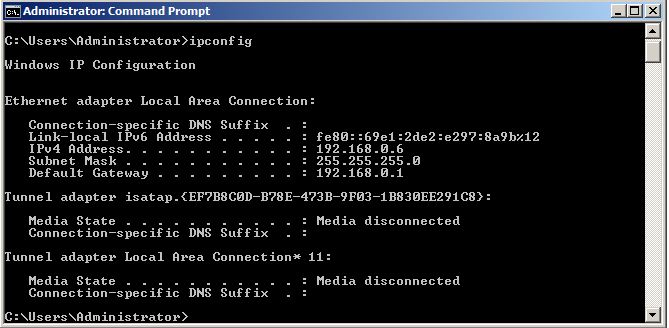
2. Type ipconfig in the command prompt
3. The IPv4 Address is your IP Address.
CONNECT TO SPECIFIC DEVICE:
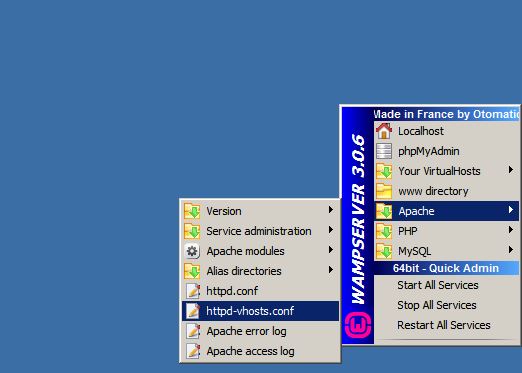
- Click on the Apache server on the right side bottom of your page
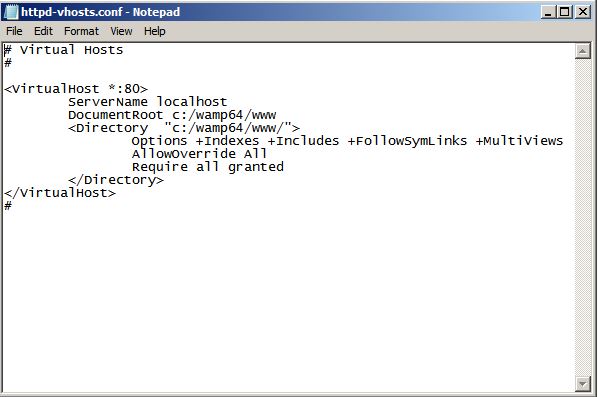
- Open httpf-vhosts.conf file
- In that you will find a line like “Require local”
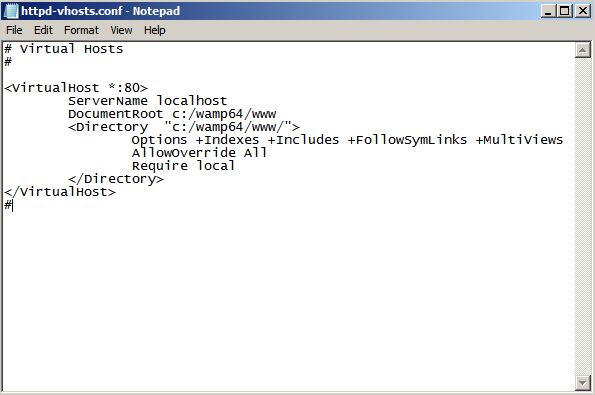
- Add “Require all granted” which is the Ip address of the computer where you want to open the wamp server
ALLOW WAMP THROUGH FIREWALL:
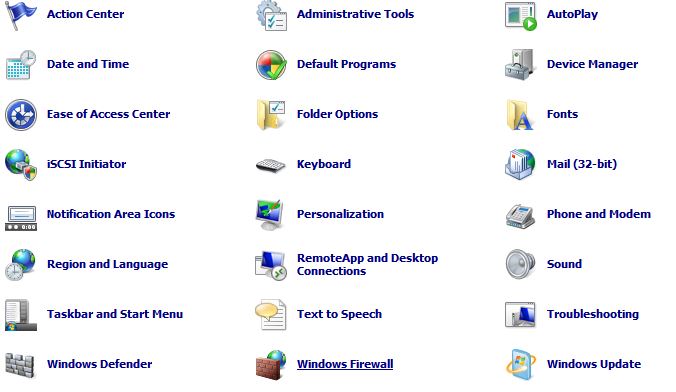
- Open Windows firewall in your Control panel from Start Menu
- On the left side, click on Allow a program or feature through Windows firewall
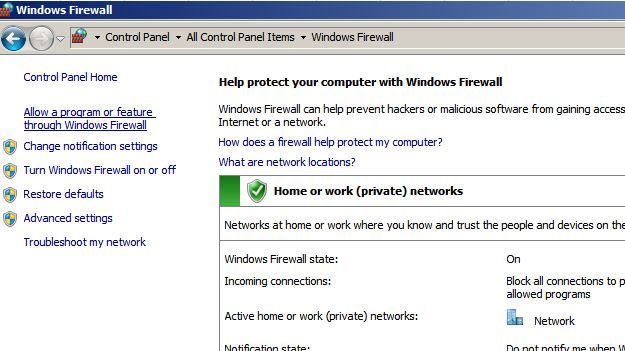
- Click on allow another program

- Add Wamp server in the list.

Now you can access Wamp from Another computer…
HAPPY CODING!

 ADVANCED Php